
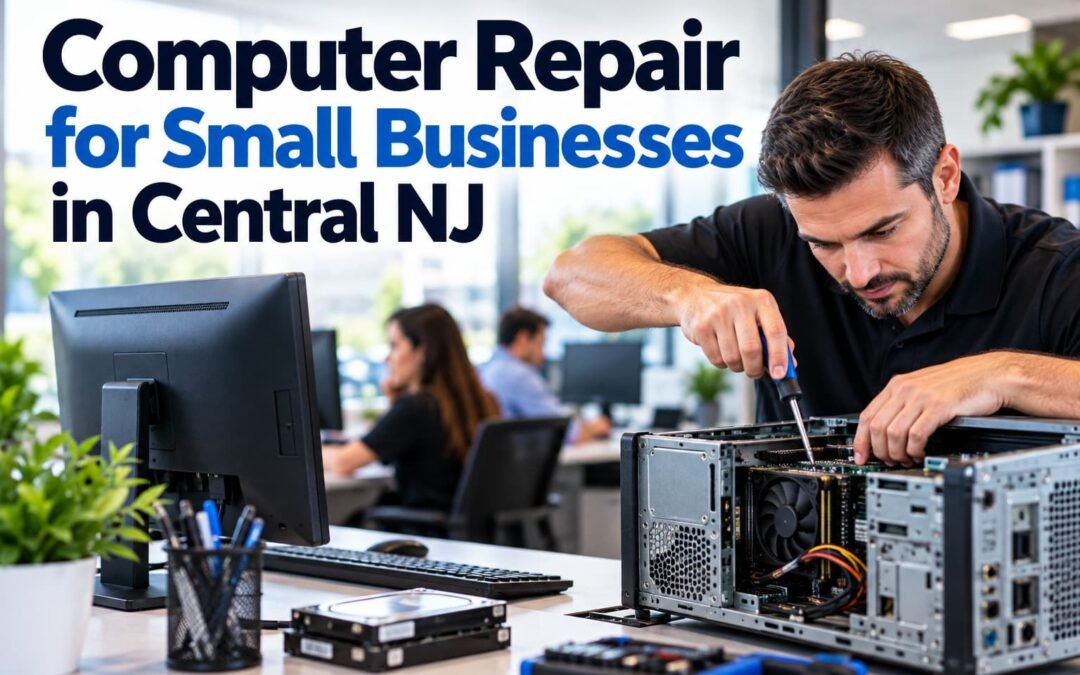
When an office computer stops working, the problem isn’t limited to the computer. An employee may lose access to email, applications, documents, printers, customer information, or other tools they need to do their job.
For a small business, even one malfunctioning workstation can quickly become a productivity problem.
Professional computer repair for small businesses in Central NJ helps companies diagnose and resolve computer problems while minimizing disruption to daily operations. Compuzone Advanced Technology Solutions LLC provides business-focused computer repair and IT support for small businesses and offices that need reliable technology without maintaining a full-time internal IT department. The Cybersecurity and Infrastructure Security Agency (CISA) also provides cybersecurity resources for small and medium-sized businesses that can help organizations protect their technology and operations.
Business Computer Problems Are Different From Home Computer Problems
A malfunctioning home computer is inconvenient.
A malfunctioning business computer can affect employees, customers, deadlines, sales, communications, and business operations.
That’s an important distinction.
When troubleshooting computers in a business environment, the objective shouldn’t simply be to get the machine to turn on again. The technician should consider how that computer interacts with the rest of the company’s technology.
That may include:
- Business applications
- Network connections
- Shared folders and resources
- Printers and scanners
- Microsoft 365
- Cloud applications
- User accounts
- Security software
- Backup systems
- Other office computers and devices
A repair that ignores the larger business environment may fix one problem while creating another.
Common Computer Problems Small Businesses Face
Office computers don’t always fail suddenly.
Many begin showing warning signs days, weeks, or even months before a serious failure occurs.
1. Computers Becoming Extremely Slow
A computer that once worked normally may suddenly take several minutes to start, applications may become sluggish, or employees may constantly wait for programs to respond.
Possible causes can include software problems, insufficient resources, failing hardware, excessive background processes, storage issues, malware, operating-system problems, or simply aging equipment.
The important point is not to immediately assume:
“We need a new computer.”
Diagnosis should come first.
Sometimes replacing a computer is appropriate. Other times, maintenance, repair, upgrades, or configuration changes may extend its useful life.
2. Computers Freezing or Crashing
Occasional software problems happen.
Repeated freezing, unexpected restarts, application crashes, or system errors deserve attention.
Restarting the computer every time may temporarily make the problem disappear, but it doesn’t identify why it keeps happening.
For a business, recurring crashes can also create another concern: data.
If employees are working on important documents or business information when a computer repeatedly crashes, the potential consequences become more serious than simple inconvenience.
3. Computers That Won’t Start
Few IT problems get an employee’s attention faster than pressing the power button and getting nothing.
A computer that doesn’t start can have many possible causes, including hardware, power, storage, operating-system, or configuration problems.
This is where businesses should be careful about attempting random fixes found online.
When important company data or specialized software is involved, troubleshooting should be systematic.
4. Network and Internet Connectivity Problems
Sometimes the computer isn’t actually the problem.
An employee may report:
“My computer isn’t working.”
But the workstation itself may be operating normally while experiencing a network, Wi-Fi, DNS, router, cabling, authentication, or internet-related issue.
This is one reason business computer repair requires understanding more than individual PCs.
A technician needs to determine whether the problem affects:
One computer, several computers, the local network, or the entire office.
That distinction can dramatically change the troubleshooting process.
5. Printer and Office Equipment Problems
Printers remain a surprisingly common source of frustration in offices.
A printer may appear offline, disappear from the network, stop communicating with one workstation, or work for some employees but not others.
These problems can involve the computer, printer, drivers, network, print configuration, or a combination of several factors.
When employees repeatedly spend time trying to reconnect printers themselves, the business is paying for that troubleshooting through lost productivity.
6. Software and Operating System Problems
Modern businesses depend on software.
When applications fail to launch, updates cause problems, operating systems become unstable, or programs conflict with one another, employees may not be able to perform their jobs normally.
Professional troubleshooting should identify the cause rather than automatically reinstalling software or replacing hardware.
7. Malware and Suspicious Computer Behavior
Unexpected pop-ups, unusual browser behavior, unknown applications, sudden performance problems, security warnings, or suspicious account activity shouldn’t be ignored.
Businesses also need to be particularly careful with phishing and compromised credentials.
A security problem affecting one workstation can potentially have consequences beyond that individual computer.
If suspicious activity is detected, the objective should be to understand what happened, determine the scope of the problem, secure affected systems and accounts where appropriate, and reduce the possibility of recurrence.
How Much Is a Slow Office Computer Really Costing You?
This is where small-business owners should look beyond repair costs.
Imagine an employee loses only 15 minutes per workday because a computer is slow, freezes, takes too long to start, or repeatedly experiences technical problems.
That’s approximately:
| Lost Time | Approximate Productivity Impact |
|---|---|
| 15 minutes per day | 1.25 hours per week |
| 1.25 hours per week | About 5 hours per month |
| 5 hours per month | About 60 hours per year |
And that’s one employee.
If several employees experience similar technology problems, those seemingly small interruptions can accumulate.
The cheapest strategy isn’t always postponing a repair.
Sometimes the expensive decision is allowing an inefficient computer to remain in production for another year.
Repair, Upgrade, or Replace?
One of the most important decisions in business computer repair is knowing when not to repair something.
A professional assessment should help determine whether repairing or upgrading the existing computer makes financial and operational sense.
| Situation | Repair/Maintenance May Make Sense | Replacement May Make More Sense |
|---|---|---|
| Software problem | ✓ | |
| Configuration problem | ✓ | |
| Minor hardware issue | ✓ | |
| Computer is relatively current | ✓ | |
| Performance can be improved economically | ✓ | |
| Multiple major hardware problems | ✓ | |
| Equipment is significantly outdated | ✓ | |
| Repair cost approaches replacement value | ✓ | |
| Computer no longer supports required business software | ✓ | |
| Reliability has become a recurring problem | ✓ |
The correct answer depends on the computer, its age, specifications, condition, software requirements, and role within the business.
Compuzone’s objective is not to recommend new equipment simply because a computer has a problem.
We first want to understand what’s wrong and determine the practical solution for the business.
Onsite Computer Repair Can Be Important for Small Businesses
Remote IT support is extremely useful.
Many software and configuration problems can be diagnosed or resolved remotely without waiting for someone to physically arrive at the office.
But remote support can’t solve everything.
Problems involving physical hardware, networking equipment, cables, printers, workstations that won’t start, new equipment installation, or certain office-wide issues may require onsite service.
That’s why Compuzone provides businesses with access to onsite and remote IT support, depending on the situation.
Why Small Businesses Benefit From Having an Established IT Provider
Consider two scenarios.
Scenario A: No Established IT Provider
Your office network stops working Tuesday morning.
Employees can’t access what they need.
You search online for computer repair companies.
You start making phone calls.
Then you need to explain your equipment, network, business applications, and previous problems to someone who has never seen your office.
Scenario B: Established IT Relationship
You contact the company already familiar with your business technology.
They already understand more about your environment and can begin troubleshooting the problem.
For small businesses without internal IT departments, establishing a relationship with a local technology provider before an emergency happens can be extremely valuable.
What Should a Business Computer Technician Check?
Computer repair shouldn’t consist of guessing and replacing parts until something works.
Depending on the reported problem, a proper diagnostic process may include evaluating:
✓ Hardware condition
✓ Storage health and available capacity
✓ Operating-system behavior
✓ Startup and background processes
✓ Software problems
✓ Updates
✓ Security concerns
✓ Network connectivity
✓ Peripheral devices
✓ System performance
✓ Recurring errors
✓ Backup considerations before major repairs
The exact process depends on the problem.
The important part is identifying the cause, not simply treating the most obvious symptom.
Computer Repair for Small Businesses Throughout Central New Jersey
Compuzone Advanced Technology Solutions LLC specializes in technology services for small businesses and offices—not residential computer repair.
We provide professional business IT assistance throughout our Central New Jersey service area, including:
Hazlet • Holmdel • Middletown • Perth Amboy • South Amboy • Keansburg • Sayreville • Woodbridge • Edison • Rahway • Elizabeth and surrounding New Jersey communities.
Our services include:
- Office computer repair
- Computer maintenance and tune-ups
- Network troubleshooting
- Network setup
- Onsite IT support
- Remote IT support
- Microsoft 365 assistance
- Backup and disaster-recovery solutions
- Cybersecurity and data protection
- Printer and office-equipment support
- New computer setup
- New office technology setup
Don’t Let a Small Computer Problem Become a Business Problem
A computer that is getting slower every week, repeatedly crashing, disconnecting from the network, or generating errors is telling you something.
Ignoring those warning signs doesn’t make the underlying problem disappear.
For small businesses, proactive computer maintenance and professional troubleshooting can help identify problems before they create larger interruptions.
And when something does break, having a trusted IT provider means you already know who to call.
Need Business Computer Repair in Central NJ?
If your office computers are slow, malfunctioning, experiencing network problems, or simply aren’t as reliable as they should be, contact Compuzone Advanced Technology Solutions LLC.
We provide professional computer repair and IT support specifically for small businesses and offices in Central New Jersey.
Keep your employees working and your technology running.
COMPUZONE ADVANCED TECHNOLOGY SOLUTIONS LLC
Website: COMPUZONEUSA.com
Tel: 848-459-5275