
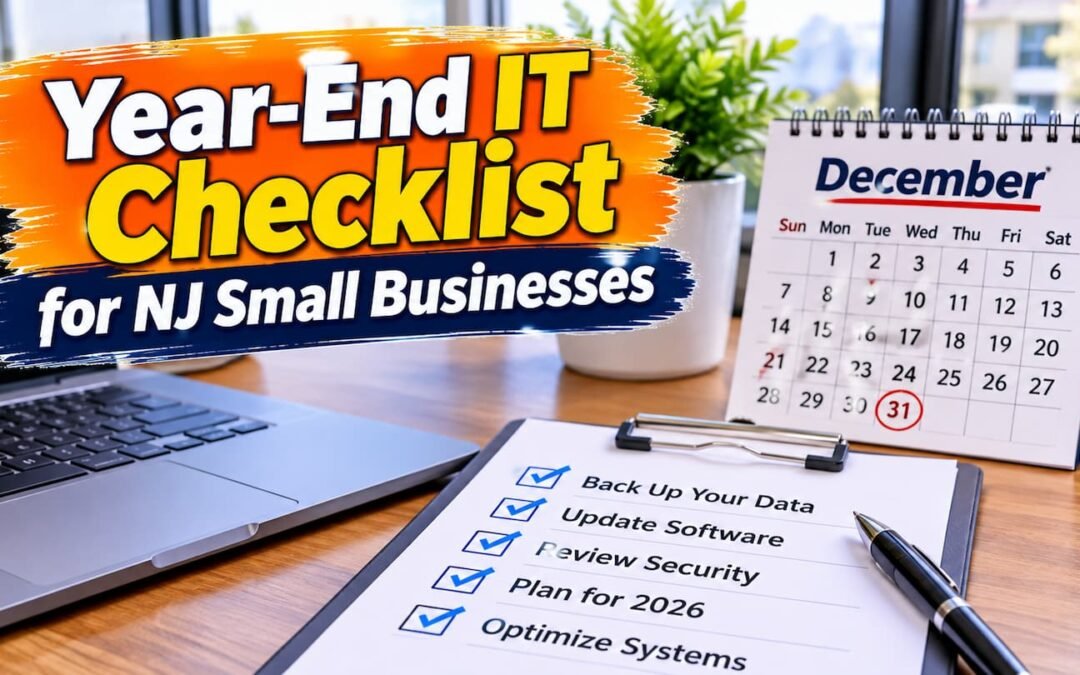
The last weeks of the year are a natural time to clean up your technology. Projects slow down, budgets are being set, and small problems that were ignored all year are easier to spot. This year-end IT checklist walks New Jersey small business owners through the tasks that matter most, from removing old user accounts to testing your backups, so you can start January with fewer surprises.
Why a Year-End IT Checklist Matters for Small Businesses
Cybercrime keeps growing, and small businesses are not exempt. The FBI’s Internet Crime Complaint Center (IC3) received 1,008,597 complaints in 2025, with reported losses of $20.877 billion. Business email compromise alone accounted for 24,768 complaints and more than $3 billion in reported losses. Phishing and spoofing led all crime types by complaint count, with 191,561 complaints.
Most of the steps below are simple and inexpensive. What they need is time and someone to own them. Working through a year-end IT checklist once a year keeps those basics from slipping.
1. Review User Accounts and Access
Start with who can log in to what. Over a year, people leave, change roles, or get temporary access that is never removed.
- Disable accounts for former employees and contractors in email, cloud apps, accounting software, and remote access tools.
- Remove admin rights from anyone who does not need them day to day.
- Change shared passwords that a former employee knew, including Wi-Fi and alarm codes.
- Check who has access to shared drives and folders with sensitive client or financial data.
2. Turn On Multifactor Authentication Everywhere
CISA lists multifactor authentication (MFA) as one of its four cybersecurity essentials for businesses, alongside phishing training, strong passwords, and software updates. Turn on MFA for email first, then banking, payroll, cloud storage, and remote access. CISA notes that security keys provide the best protection against phishing, and authenticator apps are a solid step up from text messages.
3. Apply Updates and Replace Unsupported Systems
Updates close security holes. Check that every computer, server, and phone is set to install updates automatically, and confirm they actually did.
Pay special attention to Windows 10. Microsoft ended support for Windows 10 on October 14, 2025. According to Microsoft’s lifecycle announcement, after that date these products “will no longer receive security updates, non-security updates, bug fixes, or technical support.” If any office PCs still run Windows 10, put them at the top of your list. Our post on Windows 10 end of support for NJ small businesses covers your options.
4. Test a Backup Restore
A backup you have never restored is a guess. Pick a few files, a mailbox, or a full system and actually restore them. Time how long it takes.
CISA’s guidance on backing up business data recommends the 3-2-1 rule: keep three copies of important data, on two different types of media, with one copy off-site. CISA also recommends backups that run automatically, offline copies that attacks cannot reach, and scheduled recovery tests. For more detail, read about the importance of cloud data backup and recovery and our cloud backup strategies for businesses.
5. Update Your Hardware Inventory and Warranties
Make a simple list of every laptop, desktop, server, printer, and network device. For each one, note:
- Who uses it and where it is.
- Its age and operating system.
- Warranty end date.
- Whether it can run current, supported software.
This list makes budgeting much easier and shows which machines are due for replacement. Regular preventive computer maintenance also helps older equipment last longer.
6. Check Software Licenses and Renewals
Gather every subscription in one place: Microsoft 365 or Google Workspace, antivirus, accounting software, domain names, website hosting, and SSL certificates. Note renewal dates and cancel licenses for people who no longer work for you. An expired domain or security subscription can cause outages that are hard to trace.
7. Update Firewall and Router Firmware
Routers and firewalls run their own software, and it needs updates too. Log in to each device, install current firmware, change any default admin passwords, and review open ports and remote access rules. If your office still uses a consumer-grade router from years ago, consider an upgrade. Learn more about firewall setup and network protection.
8. Roll Out a Password Manager
CISA recommends passwords that are at least 16 characters long, or a passphrase of five to seven unrelated words. Nobody can remember dozens of those. A business password manager lets your team use strong, unique passwords and share credentials safely without sticky notes or spreadsheets.
9. Refresh Phishing Awareness Before the Holidays
Holiday season brings fake shipping notices, gift card requests that appear to come from the owner, and invoices with changed bank details. Remind your team to:
- Verify any payment or bank change by phone, using a number you already have.
- Hover over links before clicking and be cautious with unexpected attachments.
- Report suspicious emails instead of deleting them quietly.
Our guide to phishing protection for small businesses has more examples.
10. Update Your Incident Response Contacts
If something goes wrong on a holiday weekend, who do you call? Write down a short, printed list: your IT provider, bank fraud line, cyber insurance carrier, internet provider, and key software vendors. Keep a copy off your computer so you can reach it if systems are down. Know that you can report internet crime to the FBI at ic3.gov.
11. Plan Your IT Budget for Next Year
Use your inventory and license list to plan. Set aside funds for hardware that is aging out, security tools, backup storage, and staff training. Planning now spreads costs out and avoids emergency purchases later.
Frequently Asked Questions
What should be on a year-end IT checklist for a small business?
At minimum: review user access, turn on MFA, apply updates and replace unsupported systems, test a backup restore, update your hardware inventory, review licenses, update firewall firmware, refresh phishing training, update emergency contacts, and plan next year’s IT budget.
Is it safe to keep using Windows 10?
Microsoft ended Windows 10 support on October 14, 2025. After that date, it no longer provides security updates, bug fixes, or technical support for Windows 10. Business computers should be upgraded or replaced.
How often should we test our backups?
CISA recommends scheduled recovery tests. Many businesses test at least once a year as part of a year-end IT checklist, and more often for critical systems.
What is the 3-2-1 backup rule?
Keep three copies of important data, on two different types of media, with one copy stored off-site. This is the guideline CISA recommends for businesses.
Can Compuzone help if we do not have in-house IT staff?
Yes. Compuzone provides managed IT support, remote assistance, network security, cloud backup and recovery, and compliance help for small businesses, remotely or onsite.
Get Help With Your Year-End IT Checklist
If you would rather not tackle this list alone, Compuzone Advanced Technology Solutions LLC can review your accounts, backups, network, and security settings and help you plan for the year ahead. Call (848) 459-5275, email compuzoneusa@gmail.com, or contact us online. Based in Hazlet, NJ, serving businesses remotely and onsite.